Built for Shopify

Make every
product page
worth watching.

Vidoo turns the product images and descriptions already in your store into polished videos — then uploads each video to the right product page automatically.

No filmingNo editingNo manual uploading
yourstore.com / products / camera Cart (2)
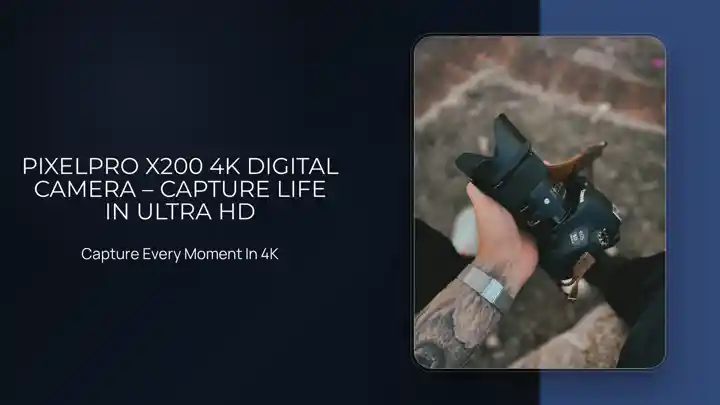
PIXELPRO

X200 4K Digital Camera

★★★★★ 124 reviews
$189.00

Compact 4K camera with interchangeable lens, travel-ready body and built-in stabilization.

ColorMidnight
Vidoo added the videoMatched to this product page automatically
One connection. One continuous workflow.
01Your store catalog
02Template + AI
03Product video
04Uploaded to the product page
01

WHAT VIDOO DOES

It takes the video work
off your list.

Vidoo is designed around the full job — not just rendering a video file. It starts with your catalog and ends on your product page.

01

Starts with what is already in your store.

Vidoo uses your existing product images and descriptions, so there is no separate content upload step for every product.

Product images + product information
Products24 active products
Travel camera4 images · Active
Ready
Canvas weekender5 images · Active
Ready
Everyday sneaker6 images · Active
Ready
Desk lamp4 images · Active
Ready
VIDOO reads this →
02

Builds the video with a template you choose.

Templates control the pacing and presentation. Your products stay consistent while you can change the visual style whenever you want.

See the templates ↓
SelectedMore styles
Product video template example01
Product video template example02
Product video template example03
Template selectedVideo ready to render
03

Uses AI where it improves the presentation.

AI enhancement supports the creative process while the product remains the subject. The result still comes from your own catalog and brand choices.

Your product stays the focus.
SOURCE
Original travel camera product image
Product image
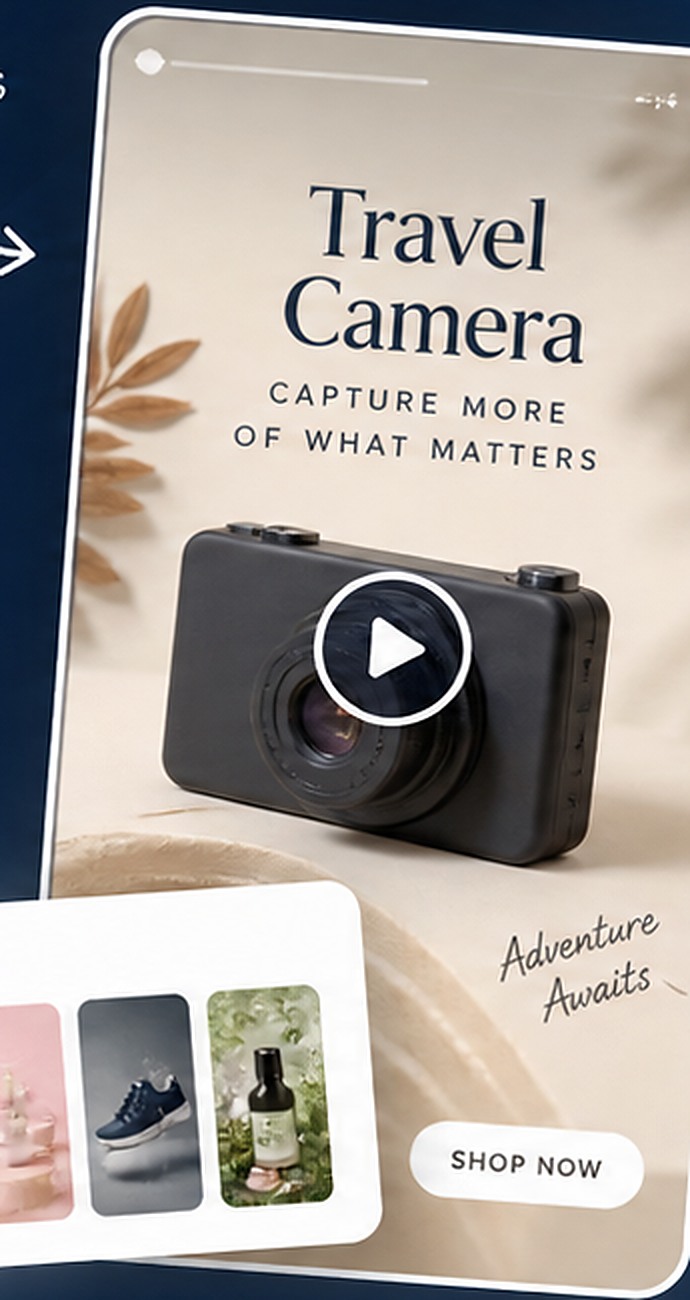
VIDEO FRAME
AI-enhanced Vidoo video frame for the travel cameraBuilt for the product page.
Enhanced presentation
04

Uploads the finished video to the matching product page.

This is the part most video tools leave for you. Vidoo can complete the workflow automatically, product by product.

Created matched uploaded
Automatic uploads
Travel cameraVideo #4821
Uploaded
Canvas weekenderVideo #4822
Uploaded
Everyday sneakerVideo #4823
Uploaded
Desk lampVideo #4824
Rendering
02

VIDEO TEMPLATES

Pick the look.
Keep the automation.

Choose the style that fits your products. Vidoo applies that template as it creates videos across your catalog.

View all templates ↗
Different products can look different. The workflow stays the same.
03

ON THE PRODUCT PAGE

Why put video
next to the product?

Because shoppers should not have to piece the product together from separate photos and paragraphs. Video can bring those details into one presentation.

Images only
Images + Vidoo
yourstore.com
THE PRODUCT

Travel Camera

Compact 4K camera with interchangeable lens and built-in stabilization.

$189
+
yourstore.com
THE PRODUCT

Travel Camera

Compact 4K camera with interchangeable lens and built-in stabilization.

$189
01Show more than one angle in one place.
02Bring product features into a watchable format.
03Give the page a richer, more finished presentation.
04

AUTOMATION

Turn it on.
Let the catalog
keep moving.

Vidoo can keep creating and uploading without turning every new product video into another task for your team.

  • Works from product content already in your store
  • Uses your selected template and Brand Kit
  • Uploads completed videos to the matching product pages
AUTO MODEProduct video automation
Vidoo is runningWatching your catalog for products ready for video
11:02
Travel cameraPremium Video #13
Uploaded
11:05
Canvas weekenderPremium Video #71
Uploaded
11:08
Everyday sneakerPremium Video #5
Uploaded
11:11
Desk lampGenerating video
68%
Next catalog check12:003 videos uploaded today
05

BRAND KIT

Automatic should
still look like you.

Set your logo, colors, fonts, music and language once. Vidoo carries those choices into the videos it creates.

YOUR LOGOatelier.
COLORS
TYPEAaManrope / Medium
MUSIC Soft / Modern
LANGUAGEENFRESDE
VIDOO PREVIEWSame workflow.
Your finish.
06

MERCHANT REVIEWS

What store owners say.

★★★★★
“The app is performing well! We have it set on Auto to make the videos and install them on the item page everyday. So far so good. The videos are very professional in style...”
Classy Walking CanesVidoo merchant
★★★★★
“I downloaded the app, and immediately had lots of product videos to choose from... have already pushed a video to my Shopify store.”
Pauley EnterprisesVidoo merchant
★★★★★
“Put this app on auto pilot and go to the beach!”
Diamond VeneerVidoo merchant
07

FAQ

Before you
switch it on.

Questions about templates, uploads or supported stores?

Vidoo uses your product images and descriptions to create videos with professionally designed templates. AI can enhance the presentation while your product remains the focus.

Vidoo can automatically upload completed videos to the matching product pages in your connected Shopify or Wix store.

Yes. Choose from a range of video templates and use the Brand Kit to apply your logo, colors, fonts, music and preferred language.

No filming workflow is required. Vidoo works from the product content already in your store and creates the video using your selected settings.

Vidoo supports Shopify and Wix. Shopify merchants can install Vidoo from the Shopify App Store.
Built for Shopify

Your catalog is already ready.
Put it in motion.

Create product videos from the content you already have and let Vidoo handle the path back to your store.